Websites & Ordering
Restaurant Self Ordering Kiosk: Is It Worth It?
By Daniel Ruiz, former NYC chef June 2026 10 min read
A restaurant self-ordering kiosk is worth it when you’re a high-volume, counter-service concept, fast-casual, quick-service, a busy lunch spot, where the screen can quietly upsell every order, free your staff from the register, and move a long line faster. It’s usually not worth it for full-service or fine dining, where the personal touch is the product you’re actually selling.
I spent over a decade in NYC kitchens, line cook to executive chef, and I’ve worked both sides of this, the register at a busy counter and the floor at a place where hospitality was the whole point. So I’m not here to sell you a screen. A kiosk is a tool, not a magic upgrade, and whether it pays off comes down to your concept and your volume. Let’s walk through it honestly, the upsides, the real costs, and where these things actually belong.
What a self-ordering kiosk actually is
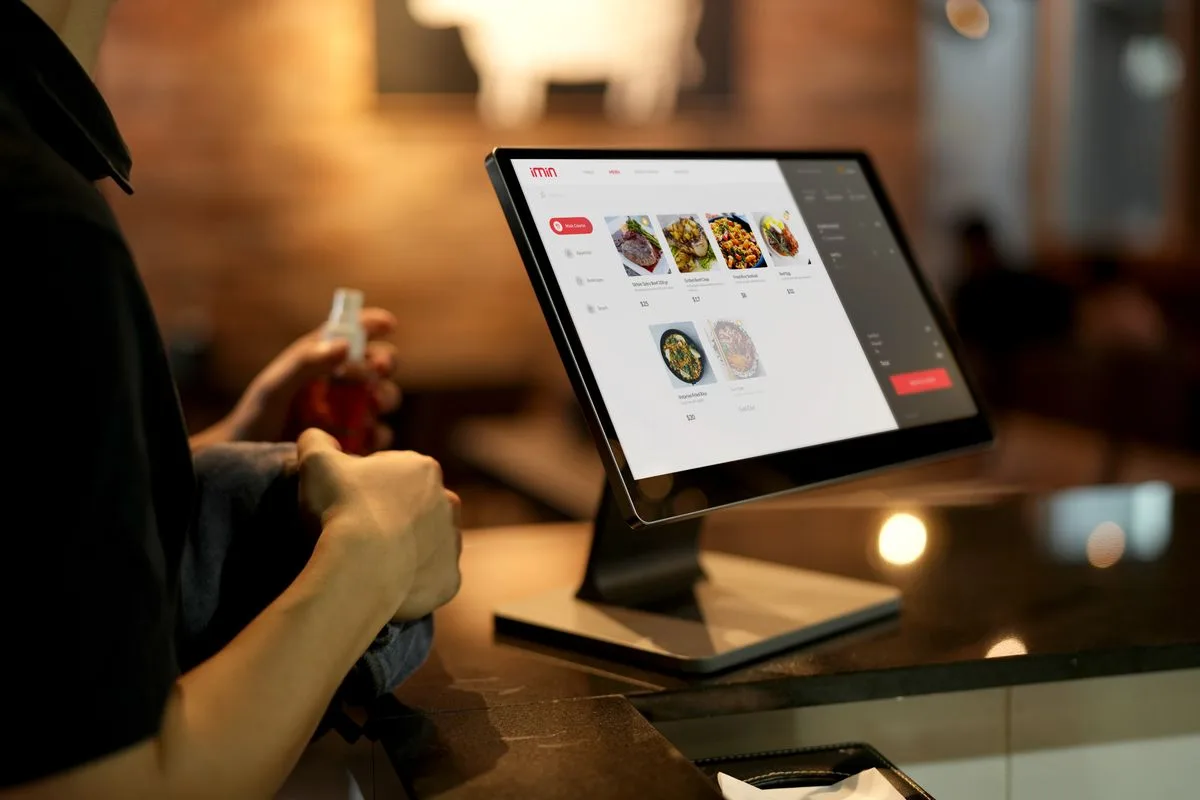
A self-ordering kiosk is a touchscreen, usually a tablet on a stand or a wall-mounted screen near your entrance or counter, where guests browse your menu, build their order, customize it, and pay, all without talking to a person. The order drops straight into your kitchen system, the same way it would if a cashier rang it in. You’ve almost certainly used one at a burger chain or an airport sandwich spot. Tap through the menu, add a side, swipe a card, grab a number, go find a seat.
Under the hood it’s really three pieces working together: the screen and software the guest sees, a payment terminal built into it, and a connection back to your point-of-sale and kitchen. When those three talk to each other cleanly, the experience feels effortless. When they don’t, you’ve got an expensive paperweight by the door and a line of confused guests. That gap, smooth versus clunky, is most of what separates a kiosk that pays for itself from one that just collects fingerprints.
The pitch is simple: let people order themselves, so your staff can do the things only people can do. Whether that pitch holds up for your place is the whole question, so let’s get into it.
The real upsides
Let me give the kiosk its fair shake first, because the upsides are real and they’re the reason these things spread through fast-casual so fast. This isn’t hype, it’s mechanics.
It upsells every single order, the same way, every time. Here’s the honest truth about a busy counter: your cashier is slammed, half-trained, or just having a rough day, and they forget to ask “want to make it a combo?” or “add a cookie for a dollar?” A screen never forgets. It asks every guest, every time, with no awkwardness and no upsell fatigue. “Make it a meal?” “Add a dessert?” “Upgrade your size?” The screen offers it calmly and the guest taps yes or no with nobody watching. That consistency tends to nudge the average check up, not through pressure, just through asking the question that a harried human skips. And a lot of guests order more when no one’s standing there judging them for the extra side of fries.
It frees your staff from the register. This is the one I felt most when I worked the line. A person stuck taking orders is a person not expediting food, not running plates, not reading the room, not fixing the one thing that’s about to go sideways. Move ordering to the screen and you can redeploy that body to where hospitality actually lives, the pass, the floor, the door. You’re not cutting the person, you’re moving them to higher-value work. For a short-staffed kitchen, that reshuffle can matter more than the upsell.
It moves a line faster at peak. A single register is a bottleneck. During a lunch rush, one cashier can only ring so fast, and the line out the door is people deciding whether it’s worth the wait. Three or four kiosks let multiple guests order at once, in parallel, and a shorter (or faster-moving) line means fewer walk-aways. Even when the actual wait isn’t much shorter, a line that’s moving feels better than one that’s stuck, and perception keeps people in the building.
It gets the order right. When the guest taps their own modifiers, “no onions, extra pickle, sub the bun,” there’s no mishearing across a noisy counter, no “I said no cheese.” Fewer remakes, fewer comps, fewer annoyed guests. Order accuracy sounds boring until you tally up what a busy week of remade tickets actually costs you in food and goodwill.
The three factors that decide it
Strip away the sales talk and a kiosk decision really comes down to three questions. If all three line up for you, it’s probably worth it. If they don’t, no slick demo should talk you into it.
Bigger checks
The screen asks for the combo, the upgrade, the dessert on every order, lifting your average check without leaning on a tired cashier.
Labor & throughput
It pulls staff off the register toward food and hospitality, and lets several guests order at once when the lunch rush hits.
Concept fit
Counter-service, high-volume, quick-decision menus love kiosks. Full-service rooms selling warmth and a personal touch should skip them.
Notice that two of the three are about volume and format, not technology. That’s the tell. A kiosk amplifies a high-throughput counter concept. It does very little for a slow, relationship-driven dining room, and it can actively work against one.
Not sure a kiosk fits your concept?
Before you spend on hardware, it’s worth getting your whole ordering flow right, in person and online. That’s the kind of thing we sort out for operators, by someone who’s actually worked the counter.
The real downsides and costs
Now the part the vendor’s slide deck glosses over. None of these are dealbreakers on their own, but you need them all on the table before you sign anything.
- Real upfront money. You’re buying hardware, the screens, stands or mounts, and an integrated payment terminal for each station, and you usually want more than one. That’s a meaningful capital outlay before you’ve sold a single combo.
- Ongoing software and processing fees. Most kiosk systems carry a monthly software subscription per terminal, plus the usual card-processing cut on every order. Those fees run forever, so the math has to clear them, not just the hardware.
- Maintenance and downtime. Screens freeze. Payment terminals drop offline. A kiosk that’s down during a Friday rush is worse than no kiosk, because guests expect it to work and now you’ve got a jam and no cashier ready to absorb it. You need a fallback and reliable support.
- Menu setup and upkeep. Every item, modifier, photo, and price has to be built into the system and kept current. Run a special, change a price, 86 a dish, and someone has to update the screens. It’s real, ongoing work, not a set-it-and-forget-it install.
- The loss of human warmth. This is the big one, and it’s easy to underweight. A genuine “hey, good to see you again” from the person at the counter is hospitality. A touchscreen can’t do that. For some concepts that warmth is the brand, and trading it for throughput is a bad deal at any price.
- Not every guest likes them. Plenty of people, older diners, anyone in a hurry, anyone who just wants to ask a quick question, would rather talk to a human. If your kiosk becomes the only way to order, you alienate a slice of your room. Most smart operators keep a staffed register as an option alongside the screens.
- Accessibility is non-negotiable. A screen-only ordering setup has to work for guests with low vision, limited mobility, or other needs, screen-reader support, reachable height, clear contrast. This isn’t a nice-to-have; it’s the right thing to do and, in many places, a legal requirement. Vet it hard.
Add it all up and the picture is honest: a kiosk is a standing commitment, money out the door every month and a maintenance habit, not a one-time gadget you bolt on and forget.
Which concepts they fit (and which they don’t)
This is where most of the decision actually lives, so let me be blunt about it from an operator’s seat.
Good fit: high-volume counter service. Fast-casual, quick-service, a build-your-own bowl or burger spot, a busy café with a lunch crush, a stadium or airport concession. Anywhere guests already expect to order at a counter, the menu is quick to decide, and volume is the whole game. In these rooms a kiosk does exactly what it’s good at, ringing orders fast, upselling consistently, and freeing hands for the line. The personal touch was never the selling point, so you’re not giving anything up.
Bad fit: full-service and fine dining. If guests sit down and a server takes care of them, a kiosk solves a problem you don’t have and breaks the thing you’re actually selling. People come to a full-service restaurant for the experience, the read of the room, the recommendation, the “let me take care of that for you.” That’s hospitality, and it’s your edge over the chain down the street. A screen by the host stand doesn’t lift that; it cheapens it. Skip it.
The honest gray zone: a casual spot that’s counter-order but warm, a neighborhood café, a beloved taqueria. Here it’s a real judgment call. You could add a kiosk for peak-hour overflow while keeping a staffed register for everyone else. But ask yourself whether regulars come partly for the person behind the counter. If the answer is yes, that relationship may be worth more than the throughput. I’ve seen places win precisely because the counter was a person who knew your order, and no screen replaces that.
What to look for if you decide to do it
Say you’ve weighed it and you’re a fit, high volume, counter service, the math clears. Good. Now don’t buy the first shiny demo. Here’s what actually matters in the system you choose:
- It integrates with your POS. This is the first question, not the last. The kiosk has to talk to your existing point-of-sale and kitchen system so orders, inventory, and reporting stay in one place. A kiosk that lives in its own silo creates double work and errors.
- Menu updates are easy and instant. You should be able to change a price, add a special, or 86 an item in minutes, ideally synced from the same place you already manage your menu, not by calling a vendor.
- Reliable hardware and real support. Ask what happens when a screen freezes at 12:15 on a Friday. You want fast support, easy swaps, and a clear fallback. Downtime is the silent killer of the whole investment.
- Genuinely good UX. Sit down and order a full meal on the demo yourself. Is it obvious? Fast? Forgiving of mistakes? If you get stuck, your guests will too, and a confusing kiosk is slower than a cashier, not faster.
- Accessibility built in. Confirm screen-reader support, adjustable text, reachable placement, and strong contrast. Make the vendor show you, don’t take their word.
- Tasteful, not pushy, upselling. The upsell prompts should feel helpful, not like a slot machine. Pushy screens annoy guests and the goodwill cost isn’t worth the extra dollar.
One more operator note: a kiosk is only as good as the rest of your ordering picture. If your website and online ordering are a mess, fixing those quietly does more for most restaurants than a row of screens by the door. Get the whole order flow right, in person and online, and the kiosk is one clean piece of it instead of a band-aid.
The honest verdict
So, is a restaurant self-ordering kiosk worth it? Here’s my straight answer, operator to operator: it depends entirely on your concept and your volume, and that’s not a cop-out, it’s the actual rule.
If you run a high-volume, counter-service spot where guests already expect to order at a counter and decide quickly, a kiosk earns its keep. It upsells consistently, frees your team for food and hospitality, moves your peak line faster, and gets orders right. For that kind of room, it’s one of the better tools you can add, as long as it integrates cleanly, stays updated easily, and never breaks during a rush.
If you run a full-service or fine-dining room, where the warmth and the personal touch are the product, skip it. A kiosk doesn’t solve your problem and it dents the thing that sets you apart. No amount of throughput is worth trading away the reason people choose you.
And if you’re in the gray zone, the warm-but-counter neighborhood spot, be honest about what your guests come for. A kiosk is a tool, not an upgrade. Used in the right room it’s great. Used in the wrong one it’s an expensive way to feel less like yourself. Match the tool to the concept, and you’ll make the right call.
Key takeaways
- A self-ordering kiosk is a tool, not a no-brainer, its value depends on your concept and volume.
- Best fit: high-volume counter service, fast-casual, quick-service, busy lunch spots.
- Skip it for full-service and fine dining, where the personal touch is the product.
- Real upsides: consistent upselling, freed-up staff, faster peak throughput, better order accuracy.
- Real costs: hardware, ongoing fees, maintenance, menu upkeep, lost warmth, accessibility.
- If you do it, demand POS integration, easy menu updates, reliable support, great UX, and accessibility.
Frequently asked questions
What is a restaurant self-ordering kiosk?
It’s a touchscreen, usually a tablet on a stand or a wall-mounted screen, where guests browse your menu, customize their order, and pay without talking to a cashier. The order drops straight into your kitchen system, just like a cashier had rung it in.
Do self-ordering kiosks actually increase the average check?
They tend to, because the screen asks every guest about combos, upgrades, and add-ons consistently, the way a busy or tired cashier often forgets to. Many guests also order a little more when no one’s standing there watching. It’s the consistency of the ask, not pressure, that nudges checks up.
What kind of restaurant should use a kiosk?
High-volume, counter-service concepts: fast-casual, quick-service, busy cafés, build-your-own spots, stadium and airport concessions. Anywhere guests already order at a counter, decide quickly, and volume is the priority. Kiosks are a poor fit for full-service and fine dining.
Why shouldn’t fine dining use self-ordering kiosks?
Because the personal touch, the server, the recommendation, the “let me take care of that”, is the actual product you’re selling. A kiosk solves a problem fine dining doesn’t have and undercuts the hospitality that sets you apart. It’s the wrong tool for that room.
What does a self-ordering kiosk cost a restaurant?
Expect upfront hardware (screens, stands, and an integrated payment terminal per station, usually more than one), plus ongoing costs: a monthly software subscription per terminal and card-processing fees on every order. There’s also real time spent on menu setup and upkeep. The recurring costs are what the math has to clear.
What should I look for when choosing a kiosk system?
Start with POS integration so orders and reporting stay in one place. Then: easy, instant menu updates; reliable hardware with fast support and a clear fallback for downtime; genuinely good, forgiving UX; built-in accessibility; and tasteful, not pushy, upsell prompts. Order a full meal on the demo yourself before you buy.