Websites & Ordering
How to Make a Restaurant Website (Without the Headache)
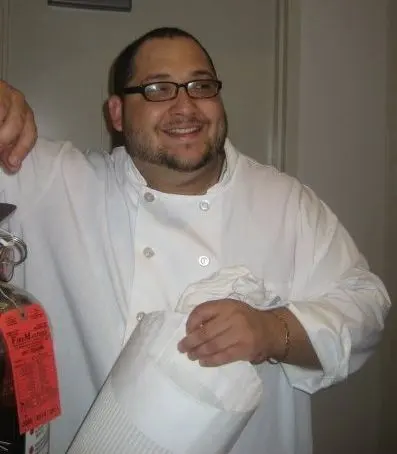
By Daniel Ruiz, former NYC chef June 2026 12 min read

To make a restaurant website, get four things right and ignore almost everything else: put your menu on the page as real text (not a PDF), keep “book a table” or “order” one tap away on every screen, make it load fast, and build it phone-first. Everything else, the slideshows, the fancy fonts, the splash page, is optional. Those four are not.
If the idea of building a website makes your stomach drop, I get it. I spent over a decade in kitchens, line cook up to executive chef, before I ever touched a website, and back then “make a website” sounded like a job for someone else, someone technical, someone with time I didn’t have. It isn’t. A good restaurant site is simpler than a brunch menu, and you can absolutely make one yourself, or know exactly what you’re paying for if you hand it off. This is the plain-English version, operator to operator. Let’s walk through it.
The four jobs your restaurant site must do
Before you pick a tool, a color, or a single photo, get this straight: a restaurant website has exactly four jobs. Nail these and you’re ahead of most spots in your zip code. Miss them and the prettiest site in the world won’t fill a table. Everything else is gravy.
- Show the menu as real text. Not a PDF, not a photo of a printout, not a link to a third-party app. Real words on the page, that diners can read at a glance and Google can actually index. A menu trapped in a PDF is slow on a phone, often blurry, and basically invisible to search engines. This is the single most-skipped thing, and the most important.
- Put “book a table” or “order now” one tap away. On every screen, not buried two clicks deep. The whole reason someone’s on your site is to decide whether to come in. Make the yes effortless. A button that follows them down the page beats a link they have to hunt for.
- Load fast. A hungry person on their phone gives you a couple of seconds before they bounce to the next result. A heavy, slow site loses diners before they ever see your food. Speed isn’t a nice-to-have, it’s the difference between a visit and a bounce.
- Work phone-first. Almost everyone meets your restaurant on a phone, standing on a corner, deciding where to eat. If your site only looks right on a laptop, you built it for the wrong screen. Design for the thumb first, the desktop second.
That’s the whole brief. If your site does those four things well, it’s a good restaurant website, full stop. I’ve seen plain, almost boring sites outperform gorgeous ones for exactly this reason: they did the four jobs and skipped the fluff. Keep this list taped to your monitor while you build, and check everything you do against it.
Should you DIY it or hire someone? The honest answer
Here’s the truth nobody selling you a website wants to say out loud: you can absolutely build a decent restaurant site yourself. The site builders, Squarespace, Wix, and the rest, have gotten genuinely good. They hand you templates, drag-and-drop editing, hosting, and a domain in one place. For a small spot that needs a clean menu page, hours, and a reservation link, a builder can get you there in a weekend.
So let’s be fair about what DIY really looks like. The good: it’s cheap, you’re in control, and you can fix a typo or update a special yourself at midnight without waiting on anyone. The tradeoffs: those templates carry a lot of weight, sliders, animations, fonts, scripts you’ll never use, and that weight makes pages slower than they need to be. You’re also limited to what the template lets you do, and it’ll take you longer than you think, because the editor is easy until it isn’t. Plenty of operators start a builder site, get 80% done, and let it sit half-finished for months. There’s no shame in that, it’s just the reality of doing one more thing on top of running a restaurant.
Hiring someone, on the other hand, costs money and means trusting a stranger with how you show up online, but you get a site built around your restaurant instead of a template, and you get your evenings back. The honest middle ground: if you’re tight on cash and have a slow stretch coming, DIY a clean builder site and move on, it’ll do the job. If your time is worth more than the cost, or you want it genuinely fast and built right, pay someone.
For what it’s worth, we hand-code our sites instead of using a builder, mostly so they load fast and do exactly those four jobs without the template bloat. But I’m not here to talk you out of doing it yourself. A working builder site beats a perfect site that never launches, every single time. Pick the path you’ll actually finish.
The foundations to gather first
Don’t open a site builder yet. The fastest way to stall out is to start designing before you’ve got your pieces together, you’ll bounce between tabs hunting for your own phone number and lose an afternoon. Spend twenty minutes collecting these first, and the build goes three times faster.
- A domain name. Your web address, ideally just your restaurant’s name with a
.com. Keep it short, easy to say out loud, and easy to spell, you’ll be telling people over the phone and printing it on receipts. If the exact name’s taken, add your city or neighborhood rather than a weird spelling. - Your name, address, and phone, written once, exactly. Decide on the precise wording, “St.” or “Street,” suite number or not, and use that identical version everywhere: your site, your Google listing, Yelp, all of it. Mismatched details quietly confuse Google and cost you in local search. Nail it once here and copy-paste it forever.
- Your hours. Including the weird ones, brunch-only Sundays, closed Mondays, holiday changes. Wrong hours on a website is the fastest way to lose trust and a walk-in.
- The menu, as text. Type it out (or paste it) as plain text you can drop onto the page. Resist the urge to just upload the PDF, that’s the trap. If your menu changes often, keep the website version simple so it’s easy to update.
- Real photos. A handful of well-lit shots of your actual food and room beat any stock photo or template image. They don’t need a pro, a clean phone photo by a window in daylight does the job. People want to see your plates, not a generic burger.
- Your reservation and ordering links. Whatever you already use, the booking system, the online-ordering page, grab those exact URLs now so you can wire up the buttons without stopping to dig.
With those six things in a single note, you’re ready. Honestly, gathering them is half the work, and it’s the half people skip and then regret.
Site stuck at “almost done”?
If your half-built site has been sitting for weeks, you’re not alone, it’s the most common DIY ending. Rather than wrestle a builder to the finish, we hand-build you a brand-new, phone-first site so you can get back to the floor.
The few pages you actually need
Here’s where most people overbuild. They think a website means twelve pages, a blog, a gallery, a press section. For a restaurant, you need maybe four pages, and that’s being generous. More pages means more to keep updated and more places for stale info to hide. Keep it lean.
- Home. Who you are in one line, a great photo, your hours, and your two buttons, book and order, right up top. Someone should know what you are and how to come in within five seconds of landing.
- Menu. The whole thing, as real text, organized the way your printed menu is. This is the page people came for, so make it the easiest one to read on a phone. Prices optional but appreciated.
- About. A short, human story, who’s behind it, why you opened, what you’re about. This is where personality lives, and it’s also where Google and diners learn you’re a real, rooted neighborhood spot. A few honest paragraphs beat a wall of corporate filler.
- Contact / Find us. Address with a map, phone, hours again, parking or transit notes, and your booking link one more time. Make it dead simple to get to you.
That’s it. That’s a complete, working restaurant website. You can always add more later, a private-events page, a story or two, but you don’t need any of it to launch. Four solid pages out the door beat a sprawling site stuck in “almost ready.” Ship the small version.
Writing the words (it’s easier than you think)
The writing trips people up more than the tech, and it shouldn’t. You don’t need to sound like a brand. You need to sound like your restaurant. Write the way you’d talk to a regular who asked, “so what’s this place about?” Short, warm, specific. If you serve wood-fired pizza in a converted garage, say that, don’t say you offer “elevated culinary experiences.”
A few rules that make this painless. Lead with the useful stuff, what you serve, where you are, when you’re open, because that’s what people actually want. Cut every sentence that could appear on any restaurant’s site; if it’s generic, it’s dead weight. Name your neighborhood and your signature dishes by name, it helps real people and it quietly helps Google understand who you are. And read it out loud before you publish, if it sounds stiff when you say it, rewrite it the way you’d actually say it.
You don’t need much. A line or two on the home page, a real paragraph or two on the about page, and clear labels everywhere else. The food does the heavy lifting, your job is just to not get in its way.
Mobile-first and fast, and why a slow site loses diners
I’ll say it plainly because it’s the part people underestimate: a slow, heavy site costs you diners every day, silently. Picture your guest, they’re standing on a corner, hungry, deciding between you and the place across the street. They tap your link. If your home page takes too long to load, or jumps around while it’s loading, or makes them pinch and zoom to read the menu, they’re gone. Not angry, just gone, off to a faster site. You never even knew they came.
This is why phone-first and fast aren’t two separate goals, they’re the same goal. Almost all of that deciding happens on a phone, so the phone experience is the experience. Build for the small screen first: big tap targets, readable text without zooming, buttons within thumb’s reach, and a menu that flows top to bottom instead of forcing side-scrolling.
And keep it light. This is exactly where DIY builder sites struggle, those templates love to pile on huge background videos, autoplay sliders, and a stack of fonts, all of which drag your load time down. Resist it. Use a few optimized photos instead of a slideshow, skip the autoplay video, and pick one or two fonts. Every megabyte you don’t load is a diner you don’t lose. Fast and simple will always out-fill flashy and slow.
The SEO basics so Google can actually find you
Building the site is half the battle, getting found is the other half, and the good news is the basics are simple and free. You don’t need to become an SEO expert to make a restaurant website that shows up. You just need to not trip over the easy stuff. (If you want the full playbook, I wrote a plain-English guide to restaurant SEO that goes deeper.)
- Put your name, address, and phone on the site, as text, matching everywhere else. Consistency across your site, Google, and the directories is the quiet backbone of local search. Same wording, every time.
- Use a real-text menu. Yes, again, because it’s also your single biggest SEO win on the site. Google reads your menu and matches you to “best tacos near me” searches, but only if it’s text it can read, not a PDF or an image.
- Name your city and neighborhood in your words. Mention where you are naturally in your home and about copy. It tells Google exactly which local searches you belong in.
- Give each page a clear title. Your home page title should include your restaurant’s name and your city or cuisine, that’s the headline Google shows in results. Keep it honest and specific.
- Link your reservation and ordering buttons clearly. Beyond conversions, clear, working links help search engines understand what your site is for.
That’s the floor, and the floor gets you most of the way. The single highest-impact thing for getting found, though, lives off your website entirely: claiming and filling out your free Google Business Profile. Your website backs it up, but that profile is the one I’d do first. The restaurant SEO guide walks through it step by step.
How to tell when it’s worth handing off
You don’t have to do all of this yourself, and there’s a point where doing it yourself stops being thrifty and starts being expensive, in time, in stalled progress, in tables you’re quietly losing to a slow site. Here’s how to know you’ve hit it.
- It’s been “almost done” for a month. The half-built builder site is the most common outcome of DIY. If yours has been 80% finished and untouched for weeks, the honest move is to stop wrestling the builder and have a fast one hand-built for you instead.
- Your site is slow and you can’t figure out why. If you’ve stripped out what you can and it’s still sluggish, you’re probably fighting template bloat you can’t easily remove. That’s a job for someone who builds these.
- You’re spending build time you don’t have. If wrestling with the website is eating the hours you should be spending on the floor, on the food, on your team, that math rarely works out. Your time on the line is worth more.
- You want it built right the first time. Some operators just want a fast, clean, hand-built site and to never think about it again. That’s a perfectly good reason to pay someone.
None of that means DIY is wrong, plenty of restaurants run great on a simple builder site they made themselves. It just means the goal is a working site that does the four jobs, not a medal for doing it alone. Whichever path gets you to a live, fast, phone-first site with a real-text menu and clear buttons is the right one. Doing it beats perfecting it.
Your restaurant website launch checklist
Here’s everything above, boiled down to a checklist you can actually work through, a few items at a time. Tick the boxes as you go, and hit “Save as PDF” to keep it or print it for your team. No email, no catch, it’s yours.
Restaurant website launch checklist
Key takeaways
- A good restaurant website does four jobs: real-text menu, easy book/order buttons, fast load, phone-first. The rest is optional.
- DIY on a builder is fine for a simple site, just watch for template bloat and the half-finished trap; hire when time or speed matters more than cost.
- Gather your foundations first (domain, NAP, hours, menu text, photos, booking links) and the build goes fast.
- You need about four pages, Home, Menu, About, Contact, not twelve.
- Fast and phone-first beats flashy and slow, every time, and a real-text menu doubles as your biggest on-site SEO win.
Frequently asked questions
How do I make a restaurant website if I’m not technical?
Start with a site builder like Squarespace or Wix, which give you a template, hosting, and a domain in one place, no code required. Gather your domain, menu text, photos, hours, and booking links first, then build just four pages: Home, Menu, About, and Contact. If it stalls or you’d rather not spend the hours, hand it off.
What’s the most important thing on a restaurant website?
Your menu, as real text on the page, not a PDF. Diners came to see what you serve, and a real-text menu is also the single biggest thing Google can read to match you to nearby searches. After that: easy book/order buttons, fast load, and a phone-first layout.
Should I build it myself or hire someone?
If money’s tight and you have a slow stretch, a clean builder site you make yourself will do the job. If your time is worth more than the cost, or you want it genuinely fast and built right, hire someone. A working DIY site beats a perfect site that never launches.
Why does a PDF menu hurt my website?
A PDF is slow to load on a phone, often blurry or hard to read, and search engines can barely index it, so you miss the searches your menu items could win. Putting the menu on the page as real text fixes all three at once.
How many pages does a restaurant website need?
About four: Home, Menu, About, and Contact / Find us. That’s a complete, working site. You can add a private-events or story page later, but you don’t need anything more to launch.
Why does website speed matter for a restaurant?
Because most diners meet you on a phone while deciding where to eat right now, and a slow or heavy site loses them before they see your food. Building phone-first and keeping the site light, fewer fonts, no autoplay video, optimized photos, keeps those hungry visitors from bouncing to a faster competitor.